Integration

Your roster, always current

Connect your directory and your roster stays in sync. Microsoft Entra ID, SCIM 2.0 provisioning from any identity provider, CSV import, and custom integrations.
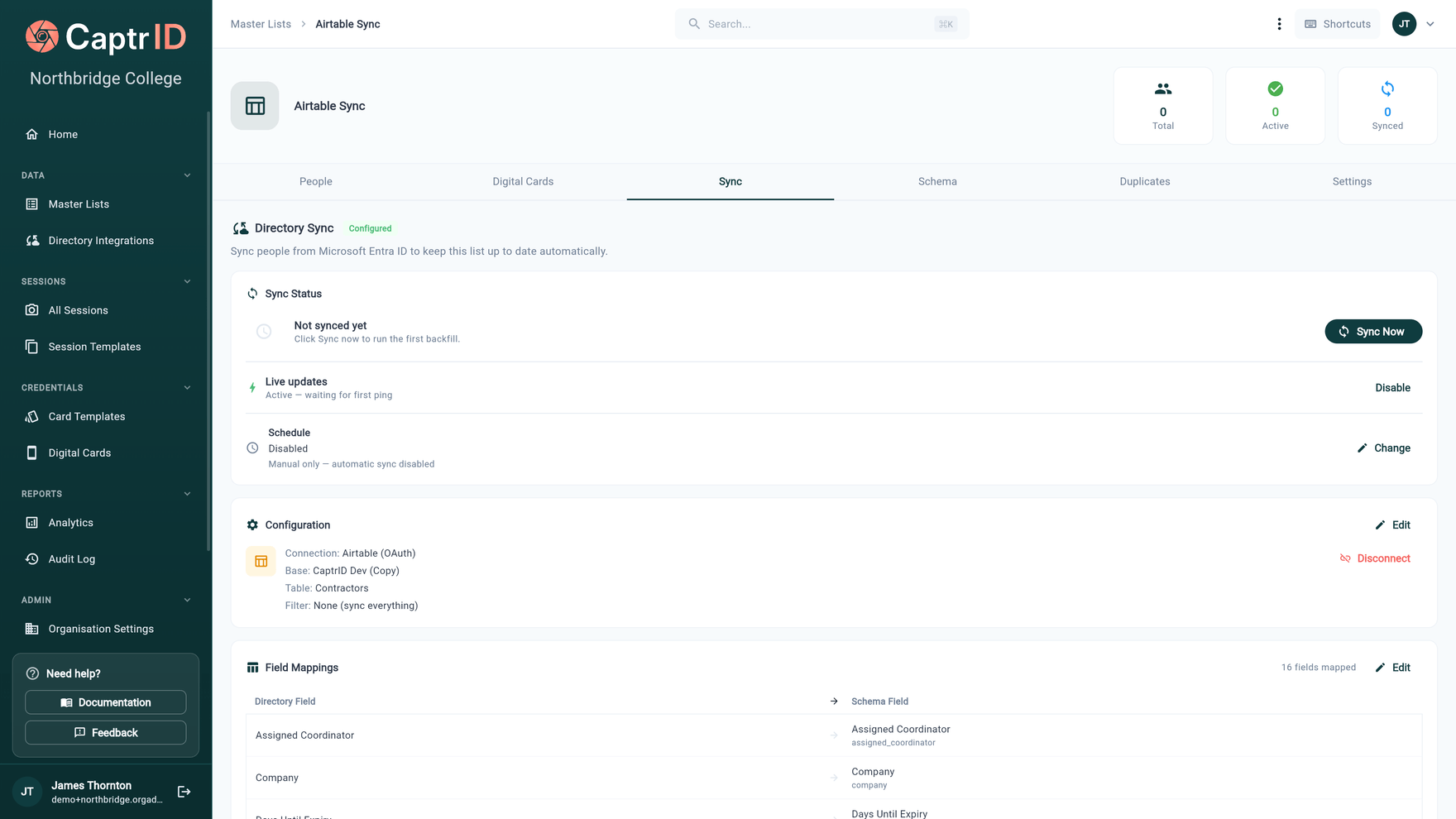
CaptrID directory sync showing completed Entra ID sync with 116 people created, field mappings, and sync status

Your roster should match your directory

Staff join, leave, change departments. Student enrolments update termly. Contractors come and go. Keeping your credentialing roster in sync with your source of truth is a manual, error-prone process — unless your platform can do it for you.

CaptrID connects directly to your identity directory and keeps your roster current automatically. When someone is added, updated, or removed in your directory, your roster reflects the change — no CSV re-imports, no manual data entry, no drift.

Microsoft Entra ID

The Entra ID integration is fully built and production-ready. Authenticate with your tenant, select which groups to sync, map directory fields to your roster schema, and run. Setup takes minutes, not days.

Incremental (delta) sync fetches only what's changed since the last run — fast and efficient even for directories with thousands of users. Group-based scoping lets you sync just students, just staff, or just contractors — not your entire tenant. Extension attributes are supported, so custom fields your IT team has added to Entra (like card UIDs or boarding status) flow through automatically.

Users removed from synced groups are automatically deactivated in your roster — not deleted, so you retain the audit trail and can reactivate if needed.

Automated User Provisioning (SCIM 2.0)

For organisations that want their identity provider to push changes directly, CaptrID supports SCIM 2.0 — the industry standard for automated user provisioning. When someone joins, changes department, or leaves in your IdP, the change flows to CaptrID within seconds.

Works with any SCIM 2.0 compliant identity provider, including:

  • Okta
  • Microsoft Entra ID (Azure AD)
  • PingOne
  • OneLogin
  • JumpCloud
  • Any SCIM 2.0 compliant provider

Setup takes minutes: connect your IdP, copy the SCIM URL and bearer token, assign users or groups — and they flow into your master list automatically. CaptrID auto-creates default schema fields and field mappings, so you're up and running without manual configuration.

Each master list gets its own SCIM token, so you can sync different groups to different lists — staff to one, students to another. Every create, update, and deactivation is logged in the provisioning audit trail.

Automated User Provisioning is available on Business and Enterprise plans.

More providers, more integrations

Google Workspace native sync is on the near-term roadmap — opening up the large number of schools and organisations running Google instead of Microsoft. In the meantime, organisations using Google Workspace with a SCIM-capable IdP can use automated provisioning today.

Beyond the standard providers, CaptrID can build custom integrations for enterprise customers. If your organisation runs an HR platform, student information system, or membership database that has an API, we can connect it. Your roster stays in sync regardless of where your source data lives.

CSV import for everyone else

Not every organisation has a directory provider — and that's fine. Upload a CSV file, map columns to your roster fields, and import. CaptrID validates the data, flags duplicates, and handles field type mismatches before anything is written.

CSV import supports the same field mapping and transformation pipeline as directory sync. Whether your data comes from a spreadsheet export, an SIS dump, or a manual list, it goes through the same validation and lands in the same master list.

Field mapping and transforms

Every sync source — directory API or CSV — uses the same field mapping system. Map source fields to your roster schema, apply transformations (lowercase, uppercase, trim, direct copy), and set which field is the unique identifier for matching.

Mapped fields from directory sync are protected — they can't be accidentally overwritten by manual edits in the roster. Unmapped fields (like locally-added notes or tags) are preserved across syncs. You control which fields the directory owns and which fields you manage locally.

Master lists: your persistent roster

A master list is your organisation-level roster that persists across sessions. Sync from your directory, create photo sessions from filtered snapshots, capture and approve photos, then push results back. One source of truth for your people data, regardless of how many sessions you run.

Multiple master lists are supported — separate your students from your staff, your contractors from your volunteers. Each list has its own schema, sync configuration, and field mappings. Or keep everyone in one list and use field filters to create targeted sessions.

Reviewed sync keeps your roster safe

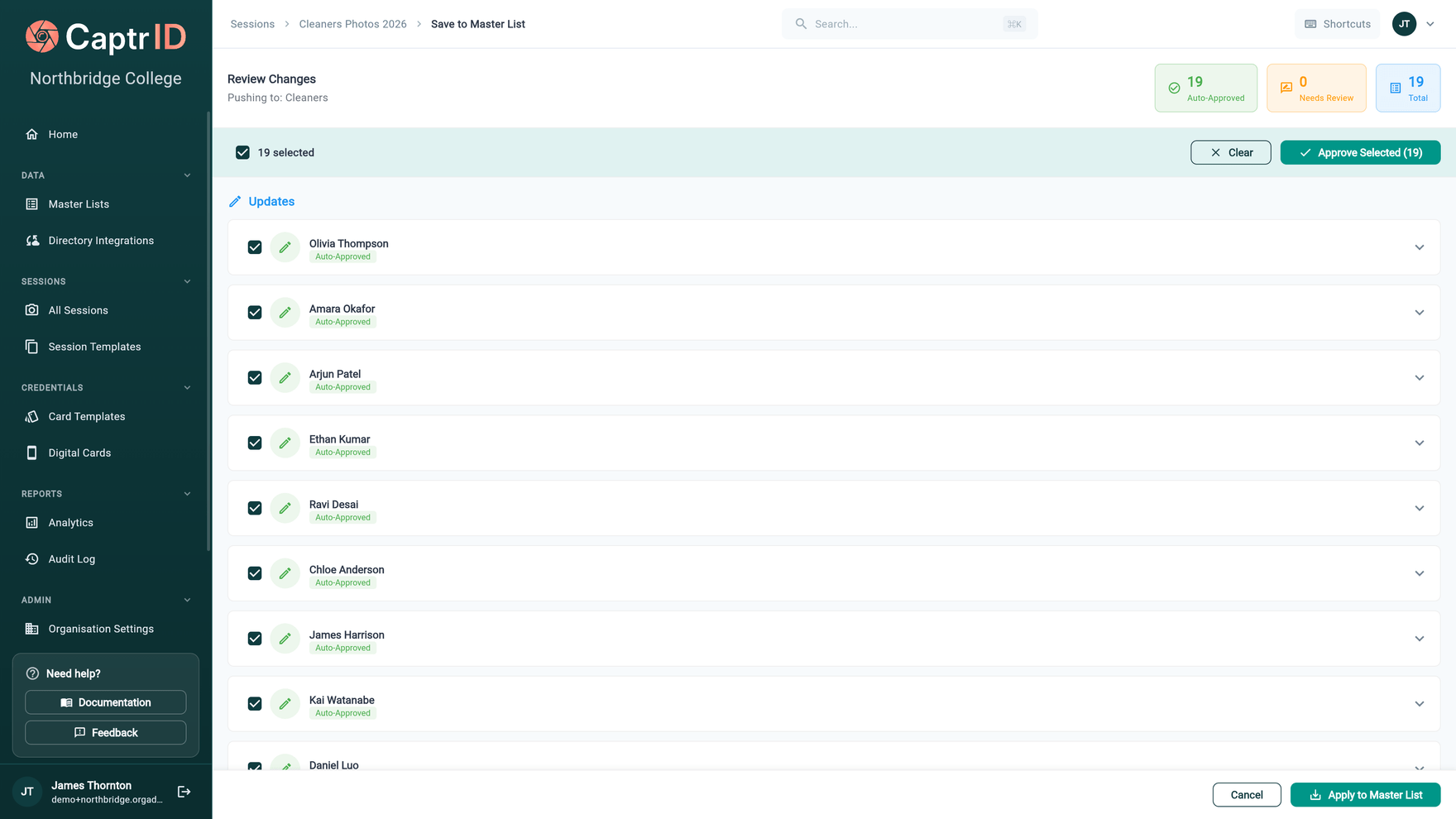
When a photo session captures new photos or updates data, those changes don't overwrite your roster automatically. CaptrID generates a changeset — a detailed review showing exactly what changed, with field-by-field comparison and conflict detection. You approve or reject each change before it applies.

If the same person was updated in both the session and the master list since the snapshot was taken, CaptrID flags the conflict and shows you both values side by side. Choose the session value, keep the master value, or skip the field entirely. Applied changesets can be rolled back if something went wrong.

Write-back to your directory

Sync isn't just one-way. When CaptrID captures a card serial number during printing or approves a new photo, that data can be pushed back to your directory — for example, writing a card UID as an Entra extension attribute so your access control system picks it up automatically. Outbound sync is on the roadmap and designed to close the loop between credentialing and your identity infrastructure.

Key capabilities

Microsoft Entra ID

Full integration with delta sync, group-based scoping, extension attributes, and automatic deactivation of removed users. Available on Pro plans and above.

Automated User Provisioning (SCIM)

Connect any SCIM 2.0 identity provider — Okta, Entra ID, PingOne, OneLogin, JumpCloud, and more. Users are created, updated, and deactivated automatically. Available on Business plans and above.

Field mapping & transforms

Map directory fields to your roster schema. Transformations include direct copy, lowercase, uppercase, and trim. Works with both Entra sync and SCIM provisioning.

Incremental sync

Only fetch changes since the last sync. Fast, efficient, and keeps your roster current without re-importing everything.

CSV import

For organisations without a directory provider. Upload CSV files with field mapping, validation, and duplicate detection.

Reviewed changesets

Changes from sessions don't overwrite your roster automatically. Review what changed, field by field, before anything applies.

Ready to issue your first ID?

Start a 14-day free trial. No credit card required.