
Photo sessions, not just photo uploads
Competitors treat photo collection as a mailbox. CaptrID manages the entire operational event — from roster check-in through to approved, print-ready photos.
The problem with email and shared folders
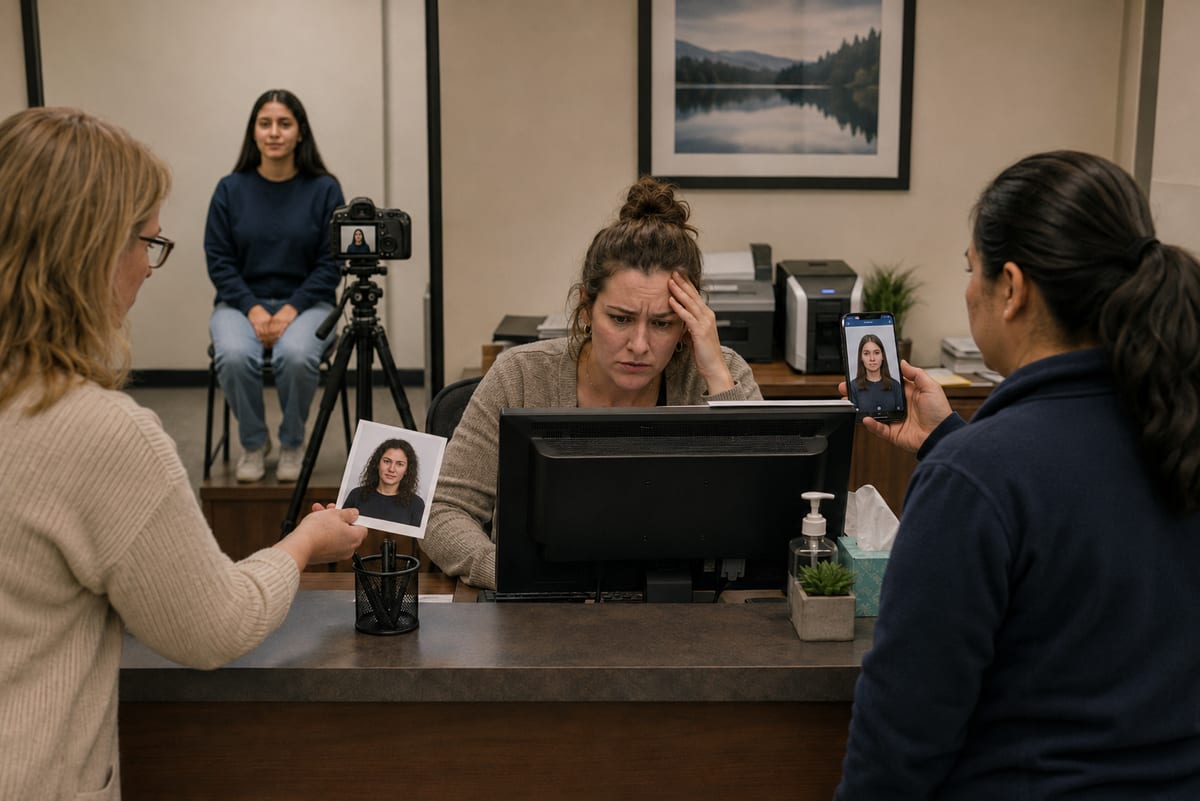
Most organisations collect headshots by emailing staff, setting up file request links, or running awkward photo lines. Photos arrive in random formats, inconsistent quality, and with no connection to your roster. Matching photos to people becomes a manual spreadsheet exercise.
Photo sessions change the game
A CaptrID photo session is a structured capture event with a defined roster, assigned capturers, and built-in quality controls. Whether you're running an on-site photo day or sending self-upload links to remote staff, every photo is automatically linked to the right person and validated before it reaches the approval queue.
Sessions can be created from a master list snapshot (filtered by year level, department, or any field), from a CSV import, or as an empty roster for walk-up capture. You choose the roster mode — locked to the list, open for additions, or a hybrid of both.
One workflow, however the photo arrives
- Step 1
Capture
On-site app, self-upload links, or bulk import.
- Step 2
Quality checks
Blur, brightness, face and resolution — on device.
- Step 3
Approval queue
One queue; approve in bulk, deny with reasons.
- Step 4
Sync to roster
Approved photos write back via a reviewed changeset.
Mobile capture app
Capturers use the CaptrID app on iOS or Android to photograph people on-site. The app shows the session roster with real-time status — who's been captured, who's pending, who needs a retake. Tap a person, take their photo, and move on.
Before each photo uploads, the app runs automatic quality checks: blur detection, brightness analysis, face detection, resolution validation, and aspect ratio confirmation. Issues are flagged immediately so the capturer can retake on the spot — not hours later when the person has left.
The app works fully offline. Photos are queued locally and sync automatically when connectivity returns. Per-photo sync status is tracked, with automatic retries and clear error reporting. No photos are lost because of a patchy Wi-Fi signal in a school gym.
Self-upload email links
For remote staff, distributed teams, contractors, or anyone who can't attend a photo day — send secure upload links via email directly from the admin portal. Each person receives a single-use link to submit their photo from any device. No app to install, no account to create, no password to remember.
The upload page guides them through the process: capture or select a photo, crop to the correct aspect ratio, and submit. The same quality validation runs on their submission. Once submitted, the photo appears in your approval queue alongside photos from on-site sessions — one unified workflow regardless of how the photo was collected.
You can send invitations in bulk, track delivery and open status, set expiry dates, and revoke links if needed. If a submission is rejected, the person automatically receives a new link with the rejection reason so they know exactly what to fix.
Admin photo management
Admins have full control over photos from the admin portal. Upload a photo on behalf of someone, crop and adjust existing submissions, replace a photo with a better version, or request a retake with notes explaining what needs to change.
Every person's submission history is preserved — you can see every photo that was submitted, who submitted it, when it was reviewed, and why it was approved or rejected. Previous submissions are kept for audit, not deleted.
Bulk photo import
Already have photos from a photographer, a previous system, or a shared drive? Import them in bulk and let CaptrID match them to your roster automatically. Select files from your computer, browse a OneDrive folder, or pick from Google Drive — then review the matches before uploading.
Filenames are matched against the UID or any other field on your roster. Exact matches are confirmed automatically; fuzzy matches are flagged for manual review. For complex imports, include a CSV manifest in a ZIP file to map filenames to field values explicitly.
You can also import photos directly from a master list — one click creates a session, uploads and approves the photos, and syncs everything back. It is the fastest way to get an existing photo library into CaptrID.
OneDrive and Google Drive import is available on Pro plans and above. Local file upload and CSV manifest matching are available on all plans.
Approval that scales
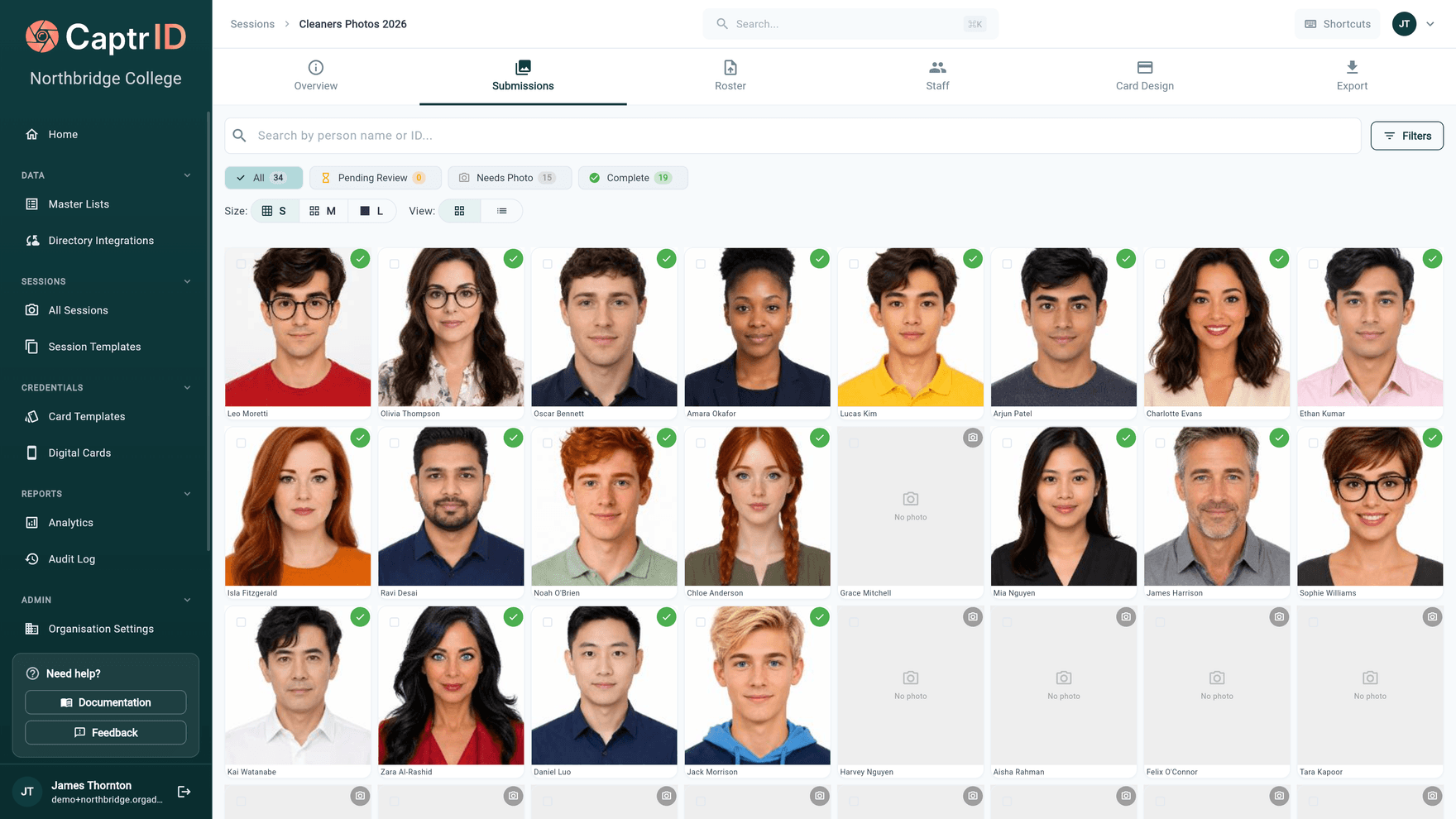
When you have 500 photos to review, you need more than a scrolling grid. CaptrID's approval workflow lets you filter by status, search by name or ID, and work through submissions efficiently. Approve individually or in bulk.
Denials include structured reasons — eyes closed, wrong person, poor lighting, background issues — so the submitter or capturer knows exactly what to fix. Retake requests are sent automatically via email notification, and capturers see retake flags in the mobile app. The feedback loop is tight: deny, notify, retake, re-review.
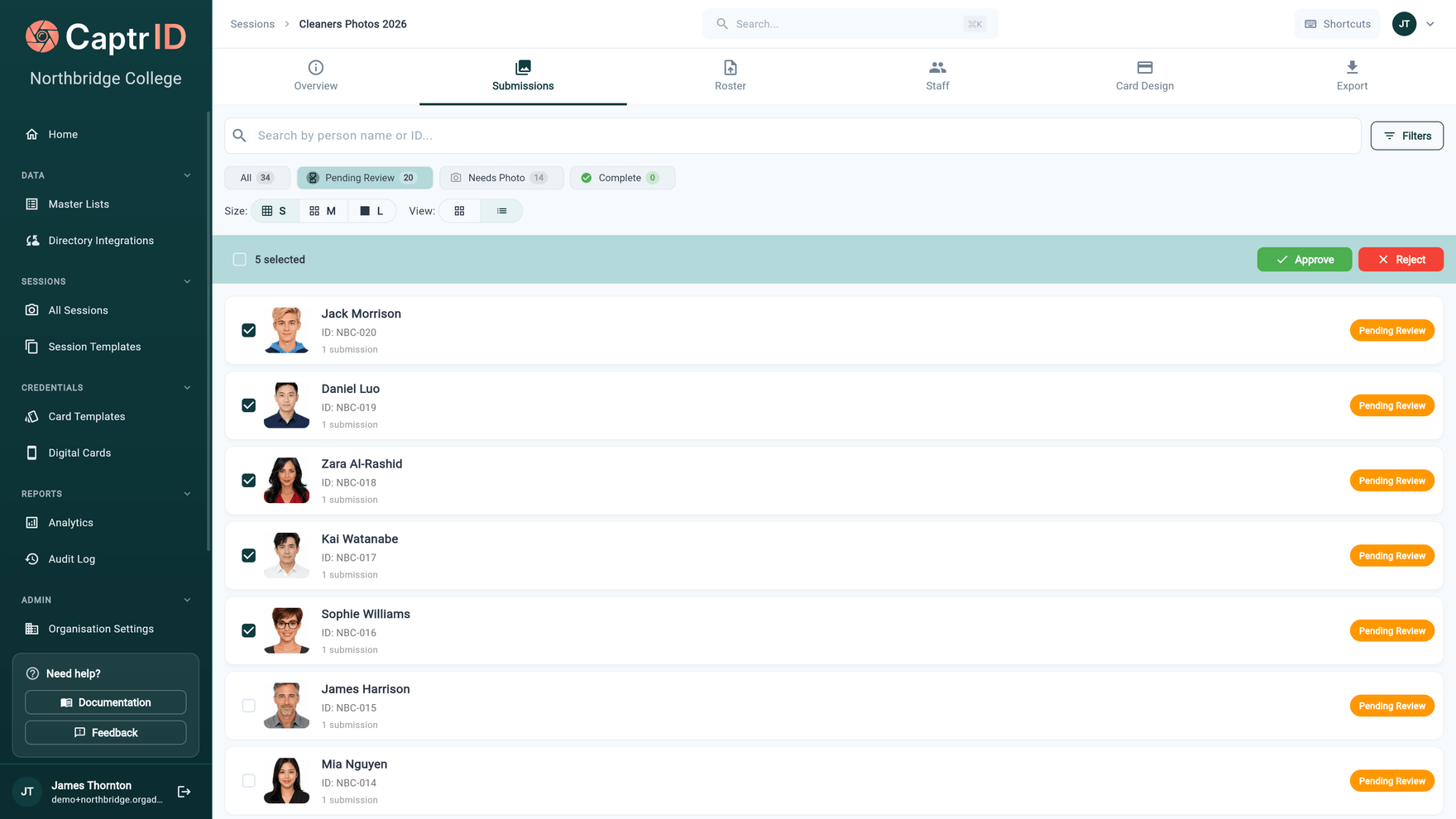
- Status filters. All, pending review, needs photo, complete — with live counts.
- Bulk approve or reject. Select many and act once; rejections carry a structured reason.
- Per-person rows. Thumbnail, name, ID and submission status for everyone in the session.
On-site, remote, or both
Run capture stations with the mobile app for school photo days and events. Send self-upload links to remote staff. Or do both in the same session — on-site capture for people who attend, email links for those who don't. Both workflows feed into the same approval queue, the same master list, and the same card templates.
Sync approved photos back to your roster
Once photos are approved, push them back to your master list via a reviewed changeset. CaptrID detects what's changed — new photos, updated data, new people added during capture — and presents it for review before anything is applied. Field-level conflict detection ensures you never accidentally overwrite data that was updated elsewhere.
Key capabilities
Session roster management
Snapshot people from your master list or start with an empty roster. Capturers see exactly who needs a photo.
Mobile capture app
Capturers use the iOS or Android app with real-time quality checks, offline support, and automatic sync.
Self-upload email links
Send secure, single-use upload links via email. Recipients submit a photo from any device — no app, no account.
Bulk approval workflow
Approve photos in bulk, deny with structured reasons, and trigger automatic retake requests.
Admin photo management
Upload, crop, replace, and review photos from the admin portal. Full control over every submission.
Bulk photo import
Import hundreds of photos at once from local files, OneDrive, or Google Drive. Smart filename matching links photos to the right person automatically.
Sync back to your roster
Push approved photos and data changes back to your master list via reviewed changesets.