
Digital IDs in Apple & Google Wallet
Issue secure digital IDs directly to your people's wallets. Verify identities instantly with a QR scan — no apps, no logins, no friction.
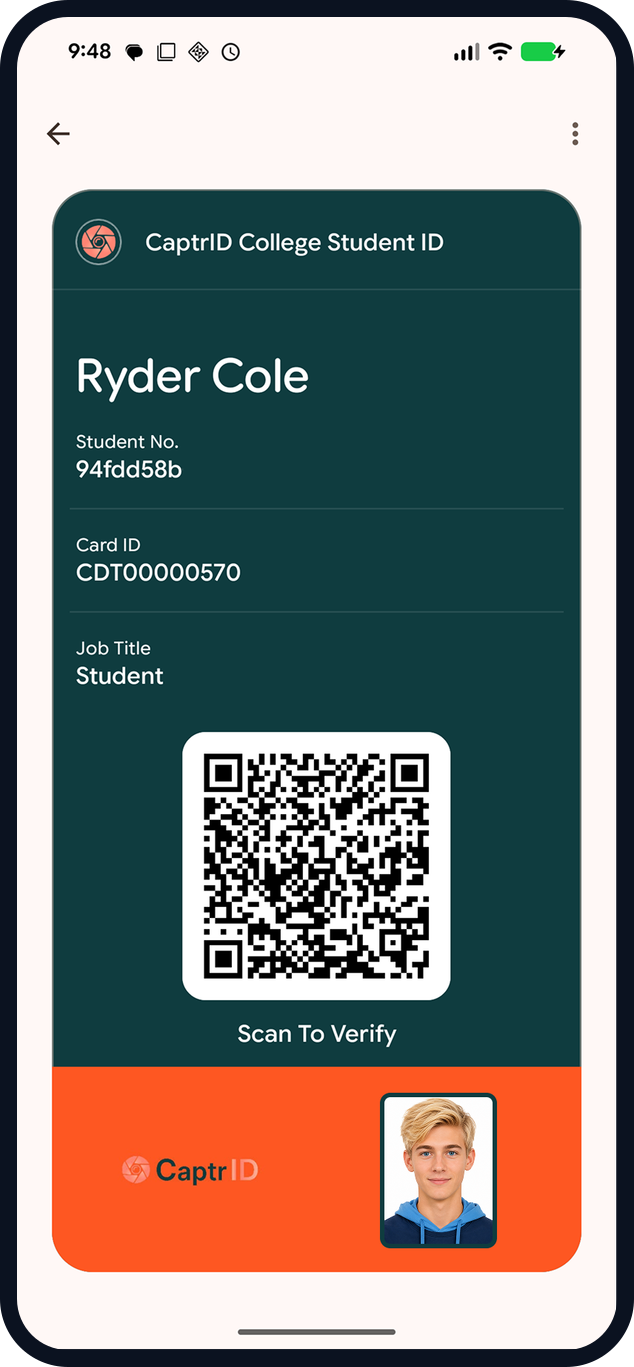
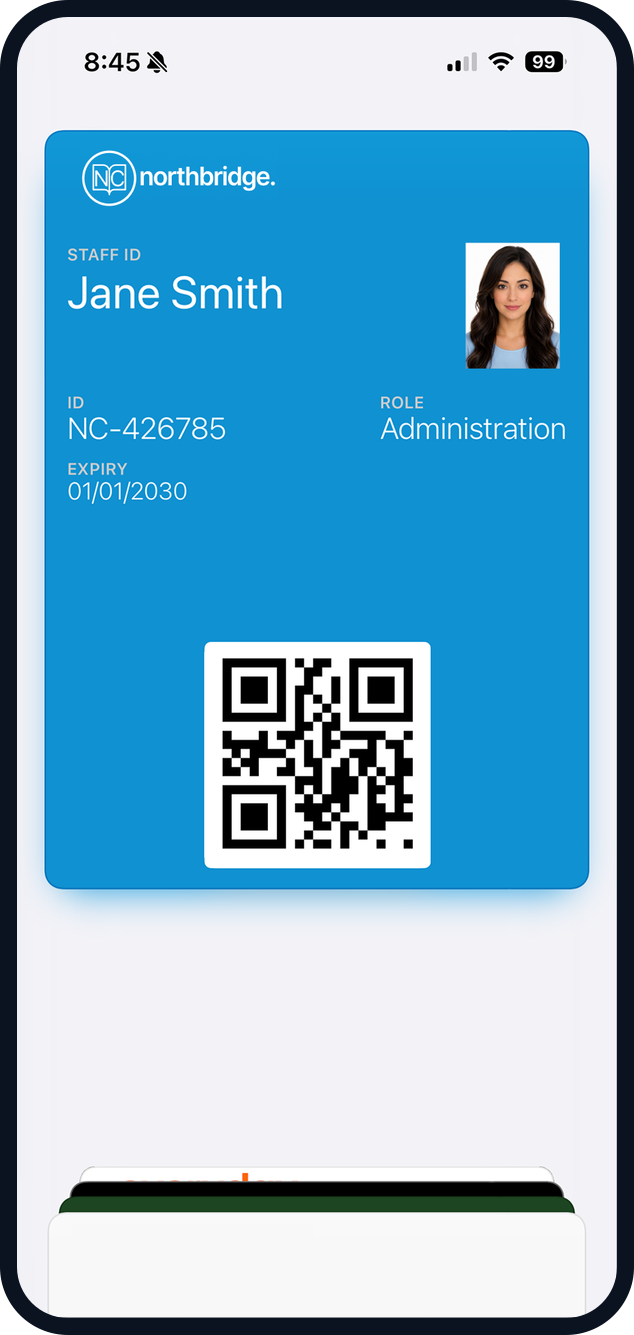
Interactive demo
Experience the full flow — just like your users will
Enter your details and we'll send you a secure upload link. Snap a photo and receive a working digital ID in your Apple or Google Wallet — in minutes.
Used by schools, clubs, and organisations to issue secure IDs at scale.
Not everyone needs a printed card
Remote staff, week-long contractors, event volunteers, support workers visiting clients — they need verifiable ID now, not after a card is printed and posted. Wallet IDs issue in minutes and live on the phone your people already carry. One tap on an emailed link adds it to Apple or Google Wallet — no app, no account, no password.
How wallet verification works
- Step 1
Issue the pass
Emailed Add-to-Wallet link — no app to install.
- Step 2
Holder shows it
A signed QR pass, even from the lock screen.
- Step 3
Verifier scans
Any phone camera — no app, no hardware.
- Step 4
Live status
Photo, role and current status; revoked passes fail.
Verification that works anywhere
Every pass carries a secure QR code. Anyone who scans it — a receptionist, a client, a site supervisor — gets a live verification page with the holder's photo, name, role, organisation, and status. No app on the verifier's phone, no special hardware.

Status that's always current
Every pass carries a signed QR. Scanning it opens a CaptrID verification page with the current photo, role, and expiry — and a status that updates the instant you change it in the admin portal.
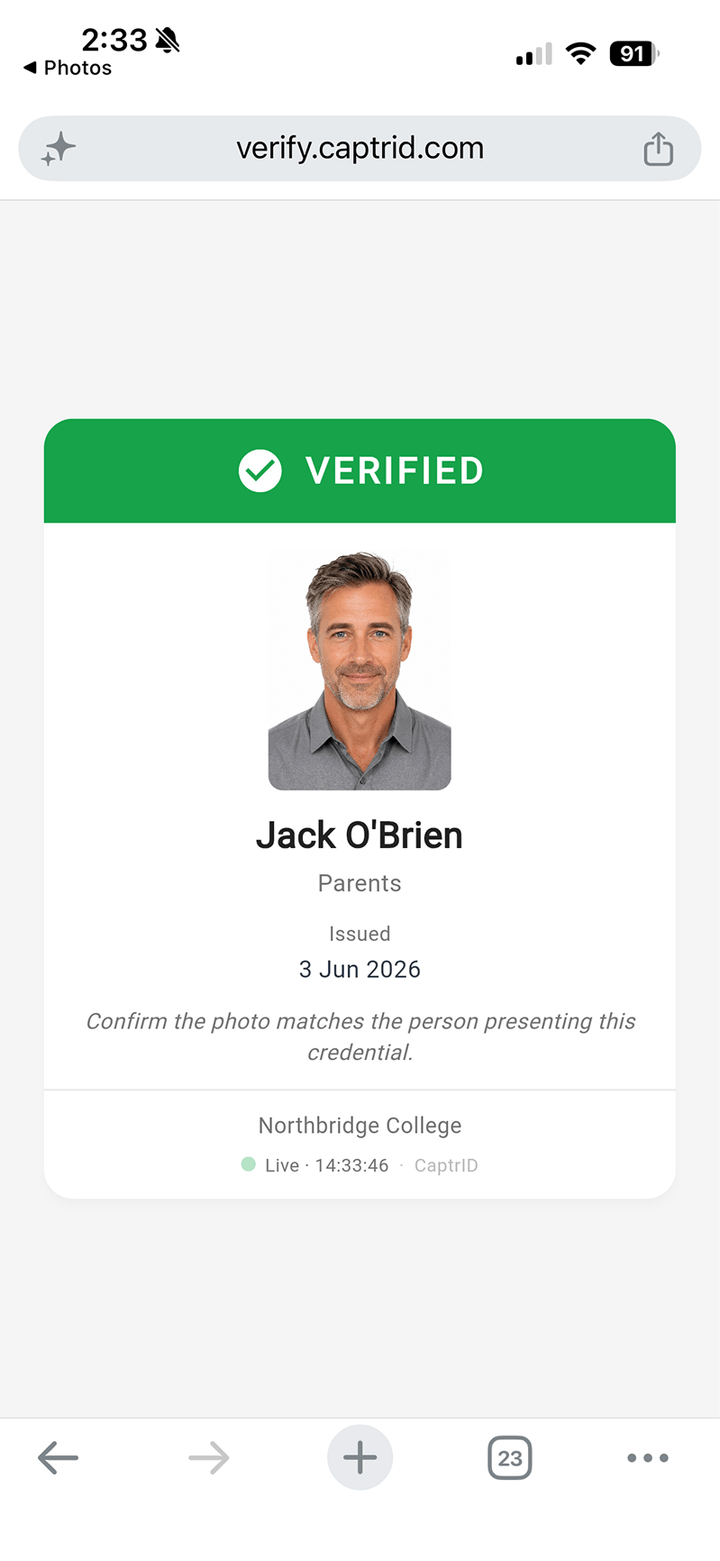
Active — photo, role and expiry match the person presenting the pass.
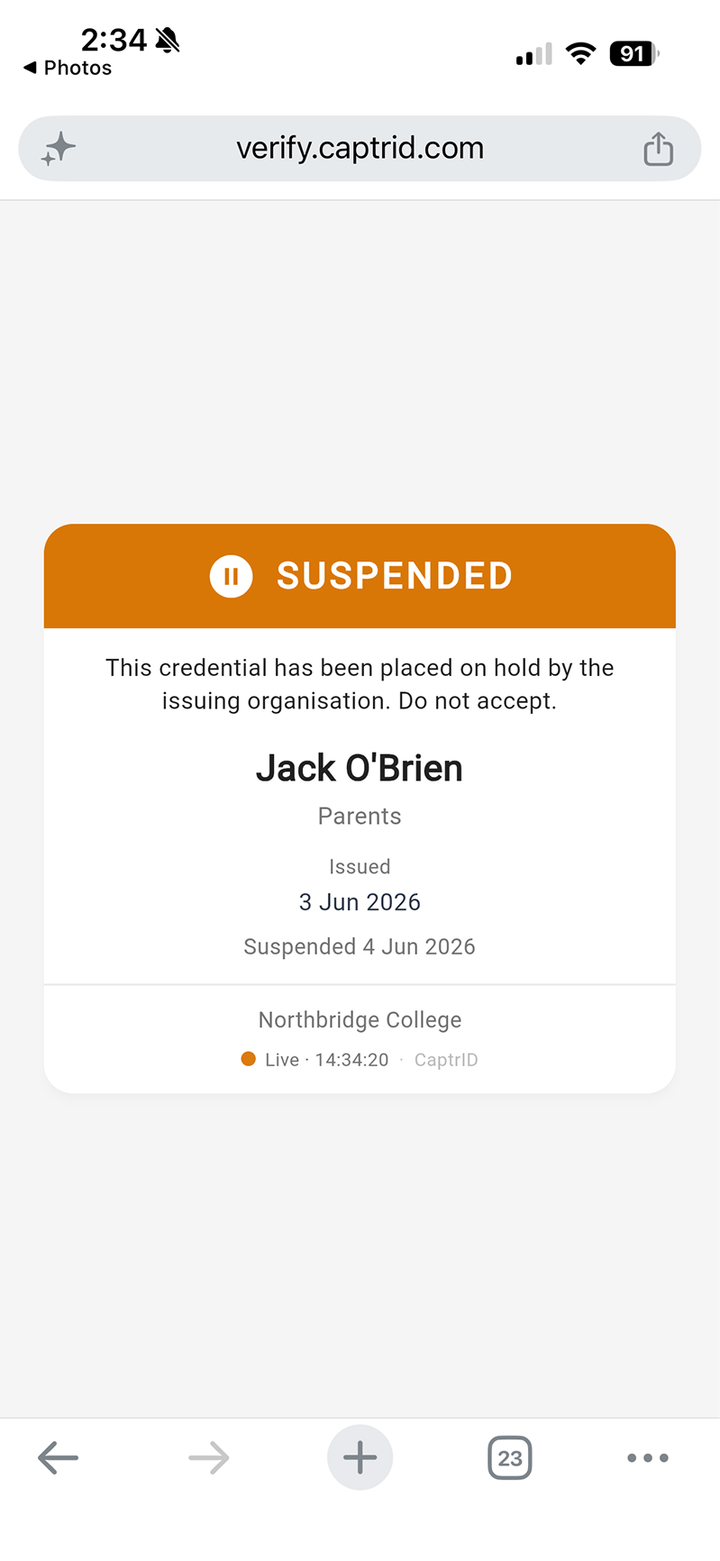
On hold — "do not accept". Re-enable from the portal when the person returns.
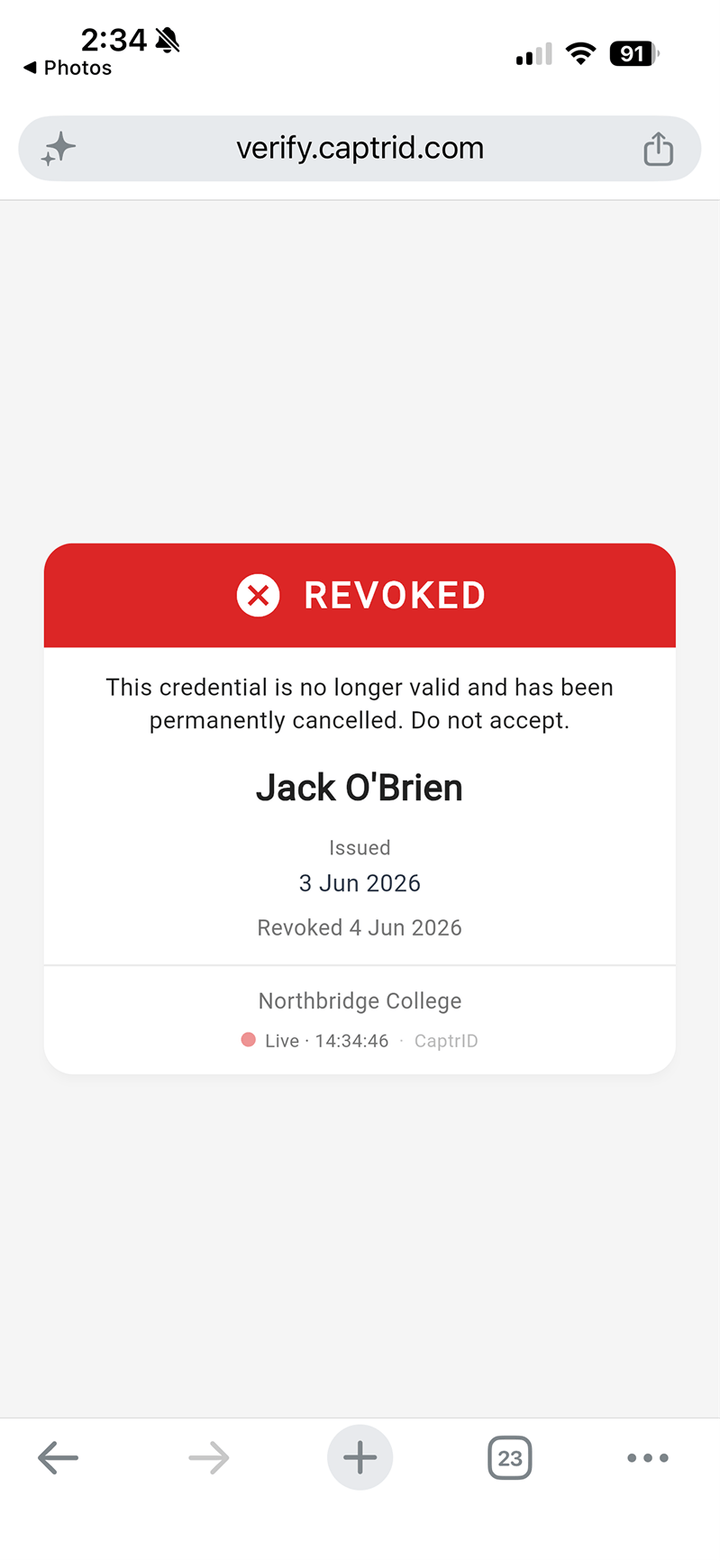
Cancelled the moment they leave — the pass is useless even if kept in the wallet.
Reception scans with any phone camera — no app to install. Revoke a pass in the portal and the very next scan reads Revoked in seconds.
Go deeper
Tamper-proof, configurable verification
Custom barcodes for your own systems
Branding and display fields
Expiry, revocation, and lifecycle
Bulk generation and email delivery
Connected to your roster
Wallet IDs are available on Pro (1 template) and Business (unlimited templates) plans — unlimited passes per template. Trial accounts get full access to evaluate the feature.
Key capabilities
Apple & Google Wallet
Issue digital IDs that live natively in Apple Wallet or Google Wallet. No vendor app to install.
QR verification
Each pass carries a secure QR code. Scan to verify identity instantly — photo, name, role, and status appear in the browser.
Custom barcodes
Add your own barcode or QR code linking to your systems — loyalty scanners, membership lookups, or internal URLs.
Expiry & revocation
Set validity periods, auto-expire credentials, and revoke passes instantly. Revoked passes are deactivated on the device.
Custom branding
Your organisation's logo, colours, card title, and configurable display fields on every pass.
Email delivery & tracking
Distribute passes via email with delivery tracking. Regenerate and resend when data changes.