
School ID card software for Australian schools and RTOs — issue student IDs in your browser
Issue student and staff IDs from one cloud platform — bulk import from your school photographer, parent self-upload, card design, printing, and Apple & Google Wallet IDs. Sydney-hosted. From A$49/month, billed annually. 14-day trial, no credit card.
Built for Australian schools and RTOs · Sydney-hosted on AWS · Cancel anytime
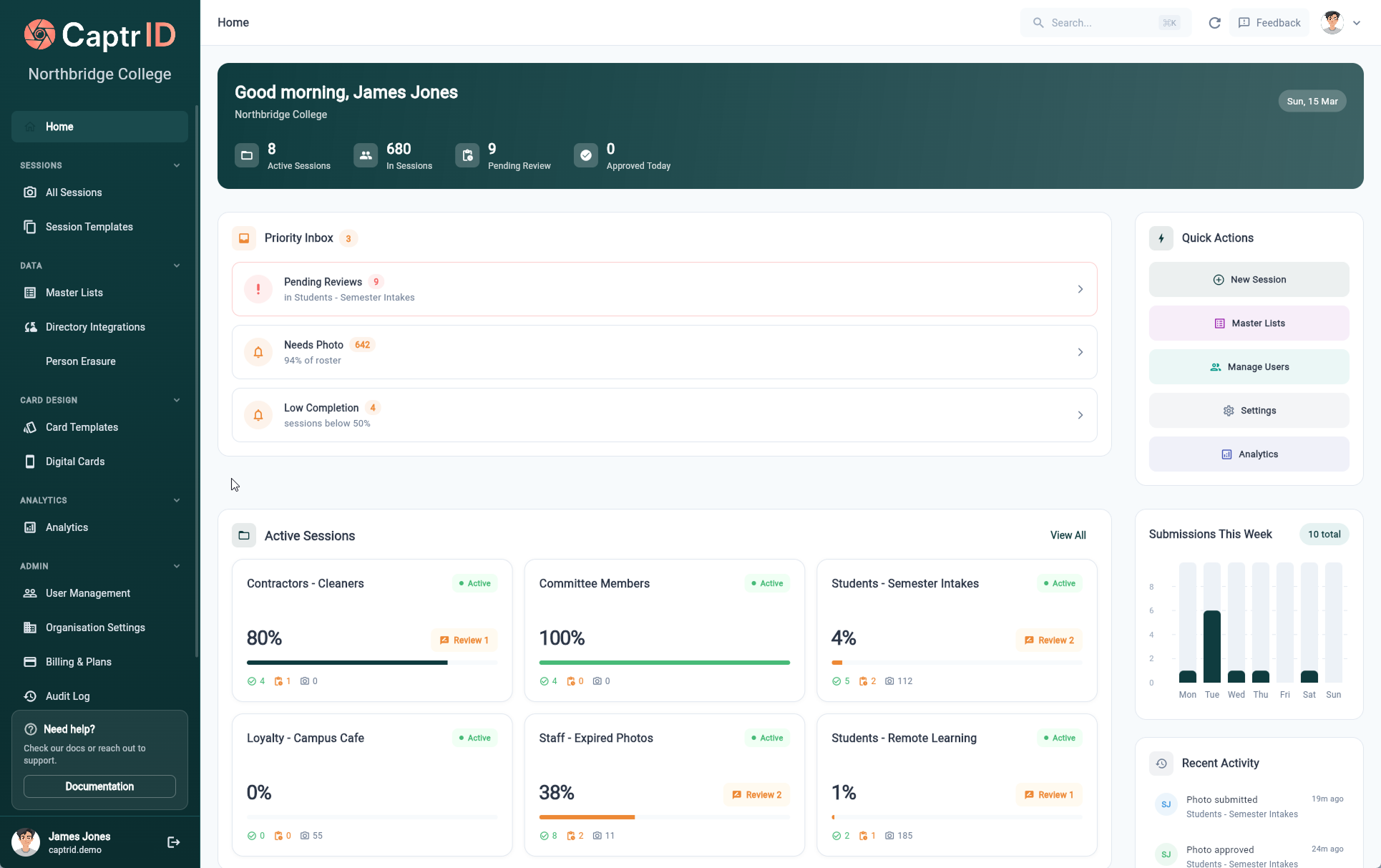
Replace your annual fire drill with one browser-based platform
If your school issues IDs from desktop software that lives on one IT-office machine — or a folder of card art and a USB from the photographer that nobody quite owns — CaptrID is the same job in a browser. Reception, HR, or campus admin staff can issue student replacements, new-starter staff IDs, and visitor passes from any laptop, any campus, any operating system. Your existing card printer, your existing card art, and your Microsoft Entra ID or SIS roster all carry across.
Built to plug into the systems your school already runs








Microsoft Entra ID, Okta, SCIM 2.0, Airtable, OneDrive, Google Drive™, Apple Wallet, Google Wallet are trademarks of their respective owners.
Sound familiar?
Here is what changes when your ID workflow lives in one cloud platform.
Receiving a USB of photos from your photographer and manually matching each file to a student record in your SIS.
Upload the photographer's batch in one go. CaptrID matches by student ID, surname + class, or any field you choose, then bulk approves.
New enrolments and mid-year replacement cards waiting weeks for the photographer's next visit.
Capture in-house with a tablet, or send the parent (or adult learner) a self-upload link. New ID issued the same day.
Entra ID or your SIS roster never quite syncs — leavers still on the list, new enrolments missing.
Native Microsoft Entra ID sync (Pro+), Okta and SCIM 2.0 (Business+). Filter by year level, campus, or department. Incremental updates run on a schedule — leavers off, new enrolments on, no manual reimport.
Desktop ID card software locked to one machine in the IT office, with a licence that expired three years ago.
Cloud-based, in any browser. Any admin or front-office staff member can issue student ID cards, staff IDs, or visitor passes from any laptop, on Mac, Windows, or Chromebook.
From roster to issued ID in one platform
Three steps to an approved photo — then print it, push it to a wallet, or both. No software for IT to install.
- Step 1
Sync staff & student rosters
Microsoft Entra ID, Okta, SCIM 2.0, or CSV. Group by year level, campus, or department.
- Step 2
Bring photos in any way you work
Bulk import from your school photographer, capture in-house on a tablet for staff and replacements, or send self-upload links for parents and adult learners.
- Step 3
Approve by year level
Auto-match photographer batches to students, then approve a whole year level in one action with face-detection and crop checks.
-
Printed card
Staff lanyards and senior student cards to your card printer.
-
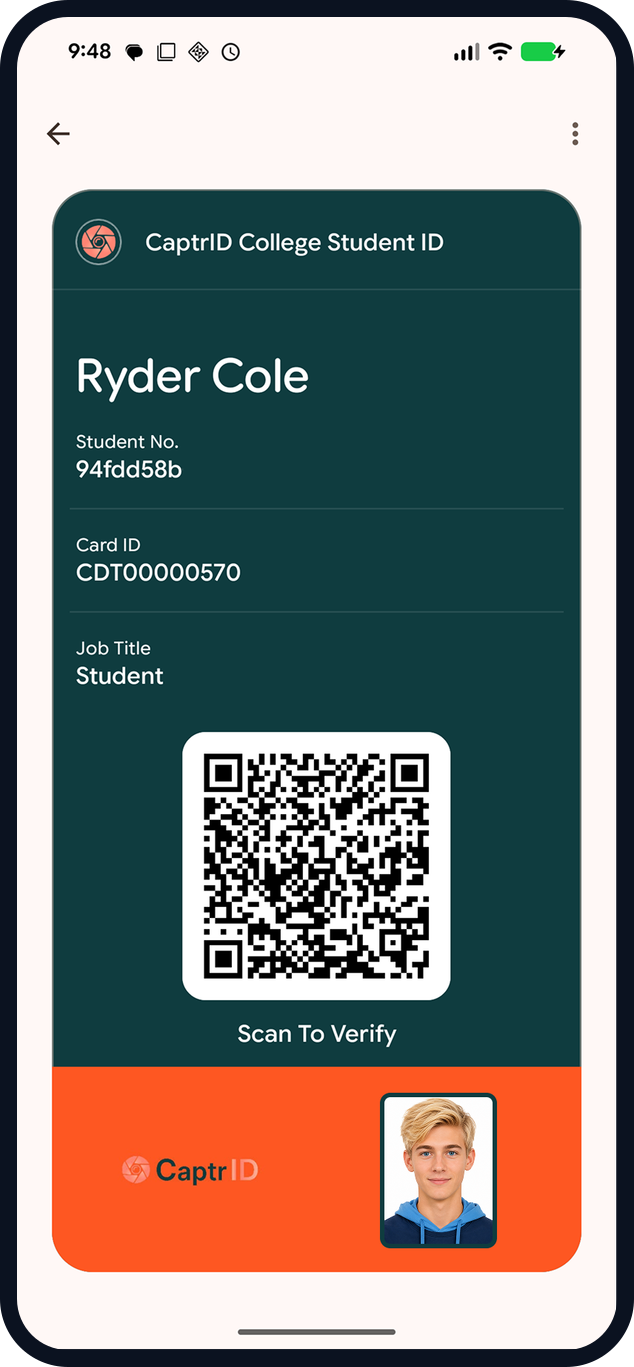
Wallet pass
Student and staff wallet IDs to phones — no app required.
Everything you need for staff & student IDs
Purpose-built for schools and multi-campus institutions
Bulk import & in-house capture
Import photographer batches with auto-matching, or capture in-house on a tablet for staff and mid-year replacements. Approve a whole year level in one action.
Self-upload links for parents
Email or SMS a link to parents. They upload a compliant photo from any device — it lands in the approval queue with face-detection and crop guides.
Card designer for school IDs
Design staff lanyard cards, student IDs, and visitor badges in one place. Map roster fields to template variables. Print one side or both.
Entra ID & SCIM roster sync
Incremental sync from Microsoft Entra ID (Pro), Okta or any SCIM 2.0 directory (Business). Group filtering for staff vs students vs casuals.
Plans for schools of any size
14-day free trial on every plan. No card required.
Starter
Up to 500 people
per month, billed annually
Photo capture, card design, print export — great for small primaries.
Pro
Up to 2,500 people
per month, billed annually
Adds Entra sync, 1 wallet template, parent self-upload at scale.
Business
Up to 10,000 people
per month, billed annually
Adds Okta/SCIM, unlimited wallet templates — multi-campus schools and large districts.
Running an RTO, CRICOS, or vocational programme?
CaptrID issues student IDs with USI display, expiry dates tied to course enrolment, and per-cohort templates for short courses or CRICOS international students — same cloud platform, same A$49/month starting price. See our RTO ID card software →
Common questions from schools
Can parents upload their child's photo themselves?
Will it sync with our Microsoft Entra ID tenant?
What about photo day on-site, with bad WiFi?
Can we bulk approve once photos are reviewed?
Can we switch mid-school-year from our existing tool?
Where is the data hosted? Is it OK for government schools?
Make next photo day painless.
Start your 14-day free Pro trial, or book a demo with a school specialist.
No credit card required · From A$49/mo billed annually · Cancel anytime